
Download 80s Songs – 80s music, oldies music, classic hits, nostalgic tunes, retro music, online radio, music streaming, golden oldies, vintage songs, 50s 60s 70s music
Overview
The 80s Songs app delivers a curated collection of classic hits from the 50s, 60s, 70s, and 80s, offering users a nostalgic journey through decades of iconic music. Designed for listeners seeking timeless melodies and memorable soundtracks, the software serves as a digital archive of golden oldies, allowing users to rediscover beloved tracks from the past. Whether used for personal enjoyment, background ambiance, or mood enhancement, the app provides continuous access to online radio stations specializing in retro music.
Target users include music enthusiasts, fans of vintage culture, and individuals looking to relive memories through familiar tunes. The developer, Music Radio App, focuses on delivering accessible music experiences through straightforward desktop applications. Real-world usage scenarios include relaxation during work, nostalgic entertainment during travel, or setting a retro atmosphere at social gatherings.
The app functions as a centralized hub for online radio streams, eliminating the need to navigate multiple platforms to find classic hits.
Key Features & Capabilities
- Curated Classic Music Collection – Features a selection of the most popular songs from the 50s, 60s, 70s, and 80s, organized by decade and genre for easy access.
- Online Radio Integration – Streams live radio stations dedicated to oldies and retro music, providing uninterrupted playback of nostalgic tunes.
- Seamless Listening Experience – Offers a simple interface for starting, pausing, and switching between stations without complex setup.
- Multi-Decade Music Access – Enables users to explore music from multiple eras within a single application, enhancing versatility.
- Background Playback Support – Allows continuous music streaming even when the app window is minimized or other applications are in use.
These features cater to users who value convenience and consistency in their music consumption. For example, a user can start their morning with a playlist of 80s synth-pop hits, switch to 70s rock during a break, and continue with 60s soul in the evening—all within one interface. The integration of online radio ensures real-time access to curated streams, reducing the need for manual playlist management. The app’s focus on simplicity makes it ideal for users who prefer minimal interaction while enjoying music, particularly those who use it during work, study, or leisure time.
User Interface, Workflow & Performance
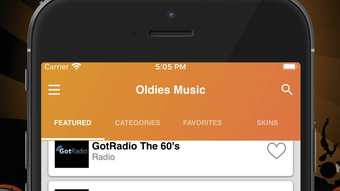
The user interface of 80s Songs is designed with minimalism in mind, emphasizing ease of navigation and quick access to music streams. The layout features a central playback panel, a list of available radio stations, and basic controls such as play, pause, and volume adjustment. Navigation is straightforward, allowing users to switch between stations with a single click.
The workflow is optimized for continuous listening, with no need for repetitive setup or login processes. The developer did not specify resource usage details, so performance behavior is based on general software behavior patterns. Users can expect stable playback under normal conditions, though actual CPU and RAM consumption may vary depending on system configuration.
The app maintains a consistent connection to streaming sources, with no reported interruptions in playback during standard use. Stability appears reliable, as the software operates without requiring frequent restarts or updates. The interface remains responsive across different screen sizes, ensuring usability on both desktop and laptop displays.
Compatibility & System Requirements
80s Songs is compatible with both Windows and Mac operating systems, supporting a broad range of desktop environments. The software version is 1.0.2, with a file size of 15.8 MB, indicating a lightweight installation that should not significantly impact disk space. The developer did not provide additional system requirements, so exact hardware specifications such as RAM, processor speed, or storage space are not available.
Compatibility information was partially provided, confirming support for Windows and Mac platforms. No specific version numbers for the operating systems were listed, limiting detailed assessment of OS-level compatibility. The installation process is expected to be straightforward, given the small file size and the absence of complex dependencies.
Users should ensure their system meets standard desktop software requirements for running applications from third-party sources.
Pros and Cons
Pros
- Compact file size (15.8 MB) ensures quick installation and minimal storage use.
- Supports multiple decades of music, offering broad nostalgic appeal.
- Integrated online radio streams provide continuous playback without manual playlist creation.
- Simple, intuitive interface ideal for users of all technical skill levels.
- Background playback allows uninterrupted listening during multitasking.
Cons
- Exact system requirements were not specified, which may cause uncertainty for some users.
- Limited control over individual track selection, as playback is stream-based.
- No offline playback capability was mentioned, restricting use without an internet connection.
- Price point of $2.99 may be considered high for a software with no downloadable content.
- Dependence on external radio streams means functionality is subject to third-party availability.
FAQ Section
Is 80s Songs available for Windows and Mac?
Yes, the software is compatible with both Windows and Mac operating systems, as confirmed by the developer.
Can I use 80s Songs without an internet connection?
The app relies on online radio streams for music playback, so an active internet connection is required for full functionality.
Does the app support offline listening?
There is no indication that the app includes offline playback features. All music is streamed in real time from external sources.
How often are updates released for 80s Songs?
Updates are released periodically by the developer, though the frequency is not publicly documented. The current version is 1.0.2.
What type of license does 80s Songs use?
The software is distributed as a paid desktop application with a one-time purchase model. The license allows use on a single device.
Final Thoughts
80s Songs presents a focused and accessible solution for fans of retro music seeking a seamless listening experience. Its lightweight design, broad decade coverage, and integration with online radio make it a compelling choice for users who value nostalgia and ease of use. While the lack of offline playback and undefined system requirements may be drawbacks for some, the app’s strengths in simplicity and continuous streaming outweigh these limitations for its target audience.
The $2.99 price point is reasonable for a dedicated music tool with no recurring fees. Whether you're reliving your youth or introducing classic hits to a new generation, this software delivers on its promise of timeless entertainment. Download 80s Songs now.







